Every athlete has a player record of their own.
The short version
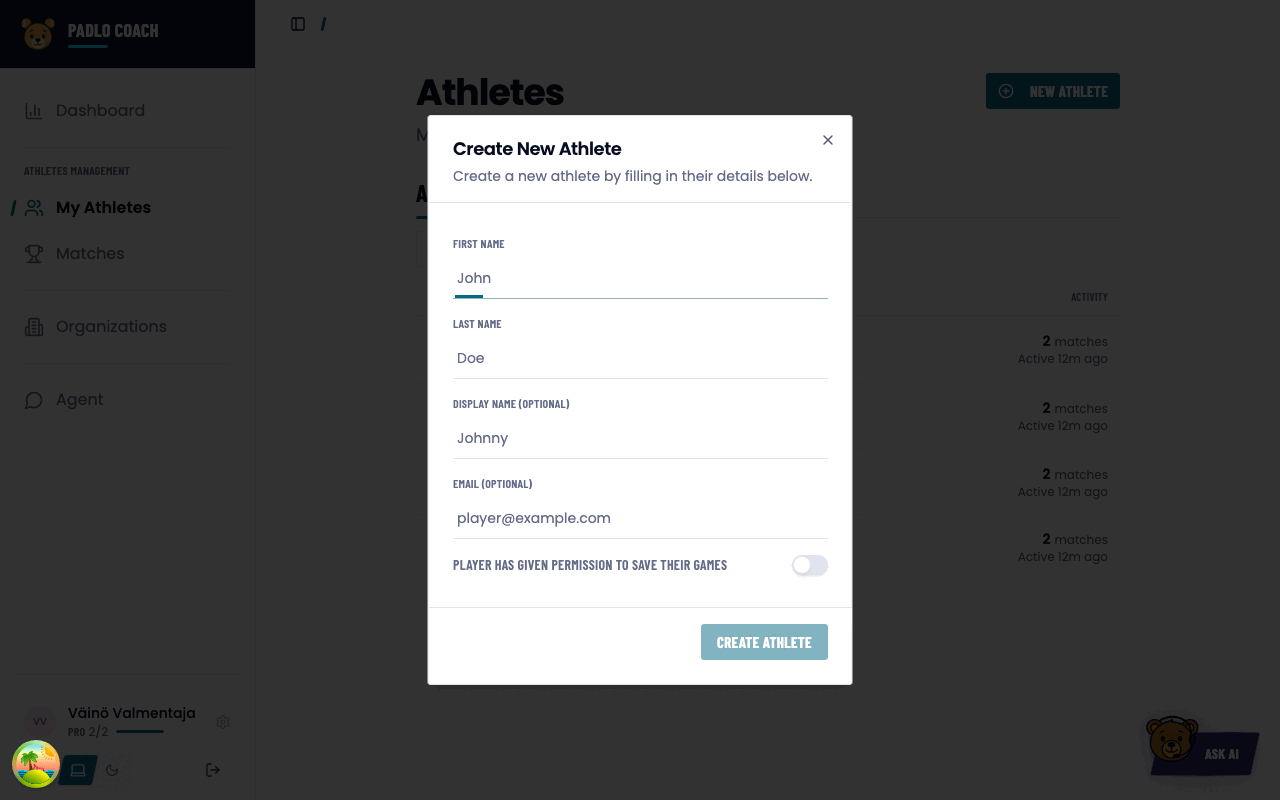
Press New Athlete, type a name, turn on the permission to save their games and press Create Athlete. The athlete can then be picked into a match.
Before you start
Who it is forCoach
All you need is a Padlo account. Your own athlete list requires no club and no Pro subscription.
Add an athlete
- Open My Athletes in the left menu.
- Press New Athlete in the top right.
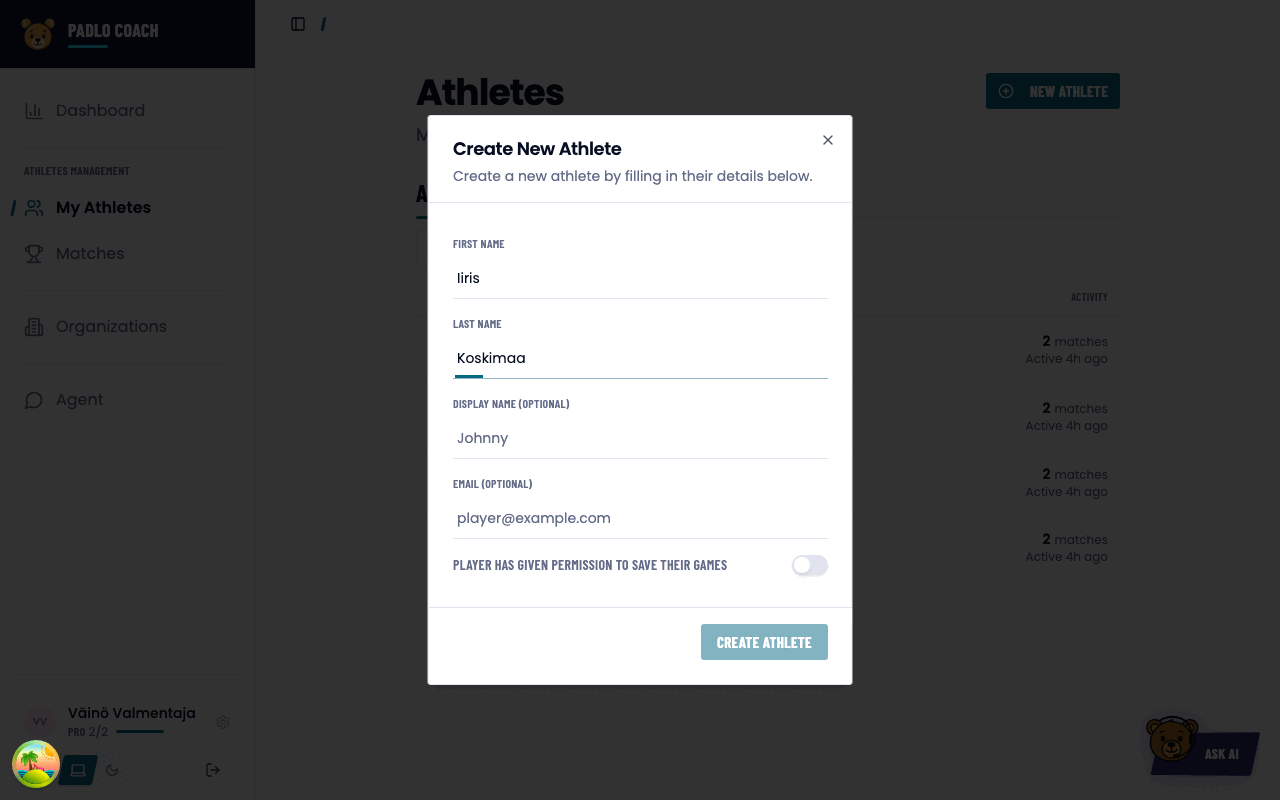
- Fill in the first and last name. One of the two is enough. Display Name (Optional) is the nickname used in lists.
- Fill in Email (Optional) when the athlete uses Padlo themselves. The same verified address links the player record and their account into one person.
- Turn on Player has given permission to save their games and pick the date the consent runs from. This is not a birthday.
- Turn on You are this player’s coach if you coach them yourself.
- Press Create Athlete.
Find an athlete
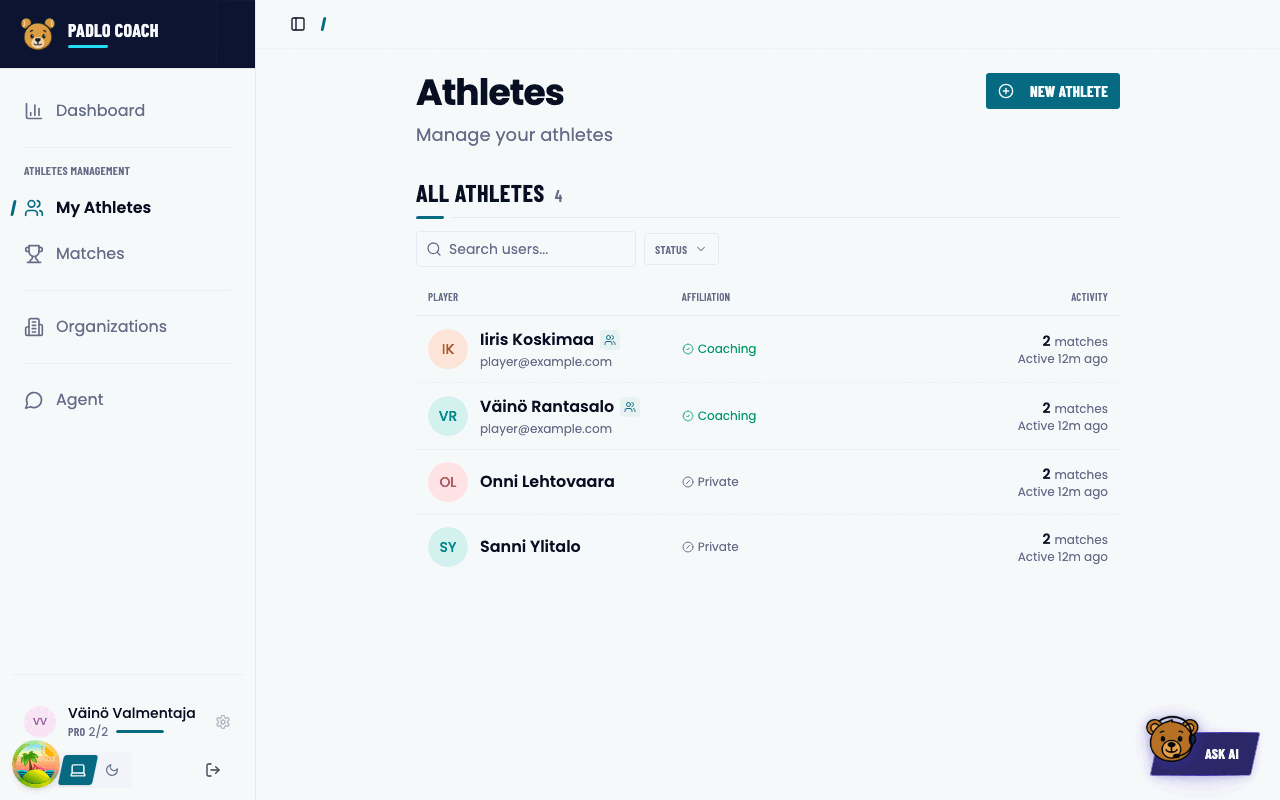
The list is grouped by when the athlete last played: Active this week, Active this month, Earlier and No activity.
- The search field filters on name, display name and email. The search runs on the server, so it covers the whole list.
- The Status filter narrows to With Agreement or Coached.
- The list loads more as you scroll. A collapsed group offers Show more.
The athlete profile
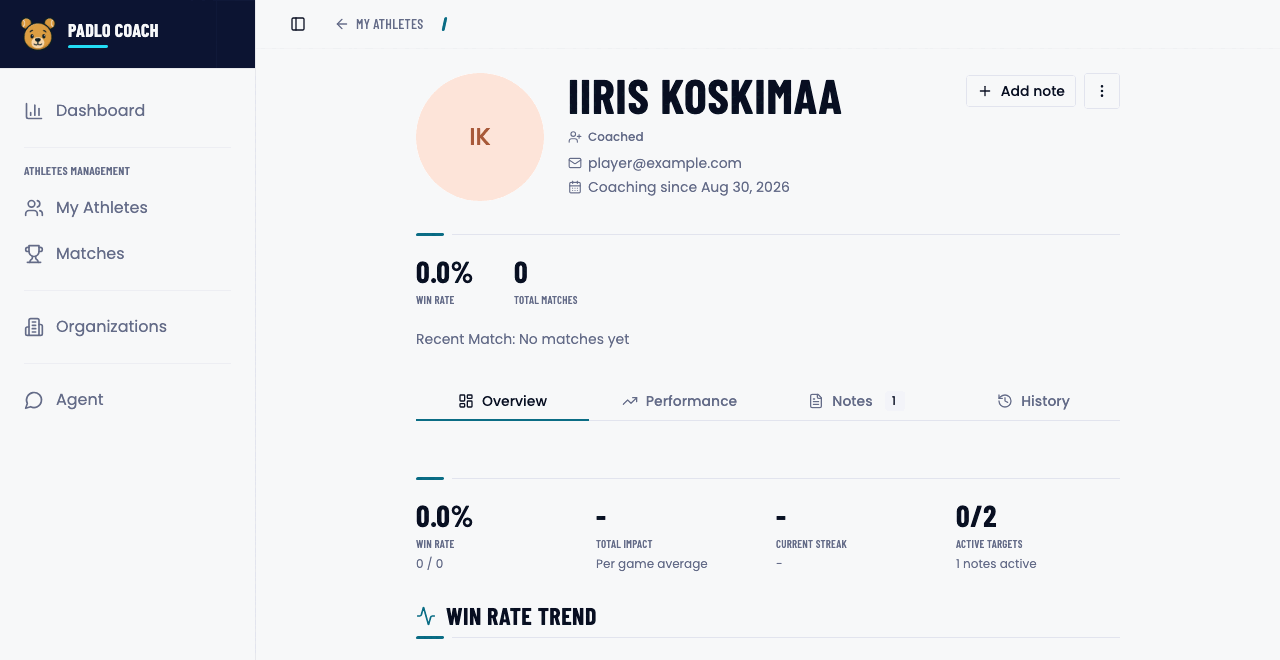
Open an athlete from the list. The profile has four tabs.
What each tab holds
| Tab | What it holds |
|---|---|
| Overview | Win Rate, Total Impact, Current Streak and Active Targets |
| Performance | Statistics and how they are trending |
| Notes | Notes and targets |
| History | Every match |
The More actions menu holds editing, adding to or removing from coaching, viewing all matches, and deleting the player.
When one athlete has two records
Trouble?
Create Athlete stays greyed out. Consent is missing. Turn it on and pick a date.
The email is already in use. Another player in the same club has that address. Padlo offers to merge the records or clear the email.
The same athlete appears twice. Two records have not been linked. Give both the same verified address, or ask support to merge them.
I can’t find My Athletes in the menu. The entry only appears for coach accounts. A league player sees their teammates there instead.