A note is your durable memory of an athlete’s development. Each one can carry targets, which the athlete can tick off.
The short version
Open the athlete, pick the Notes tab and write what you saw. Choose Private to keep the note among coaches, or Shared so the athlete reads it too.
Before you start
Who it is forCoach
Only an athlete’s coach or a club administrator can write notes. A captain cannot: a captain runs the team’s matches, not its athletes.
Write a note
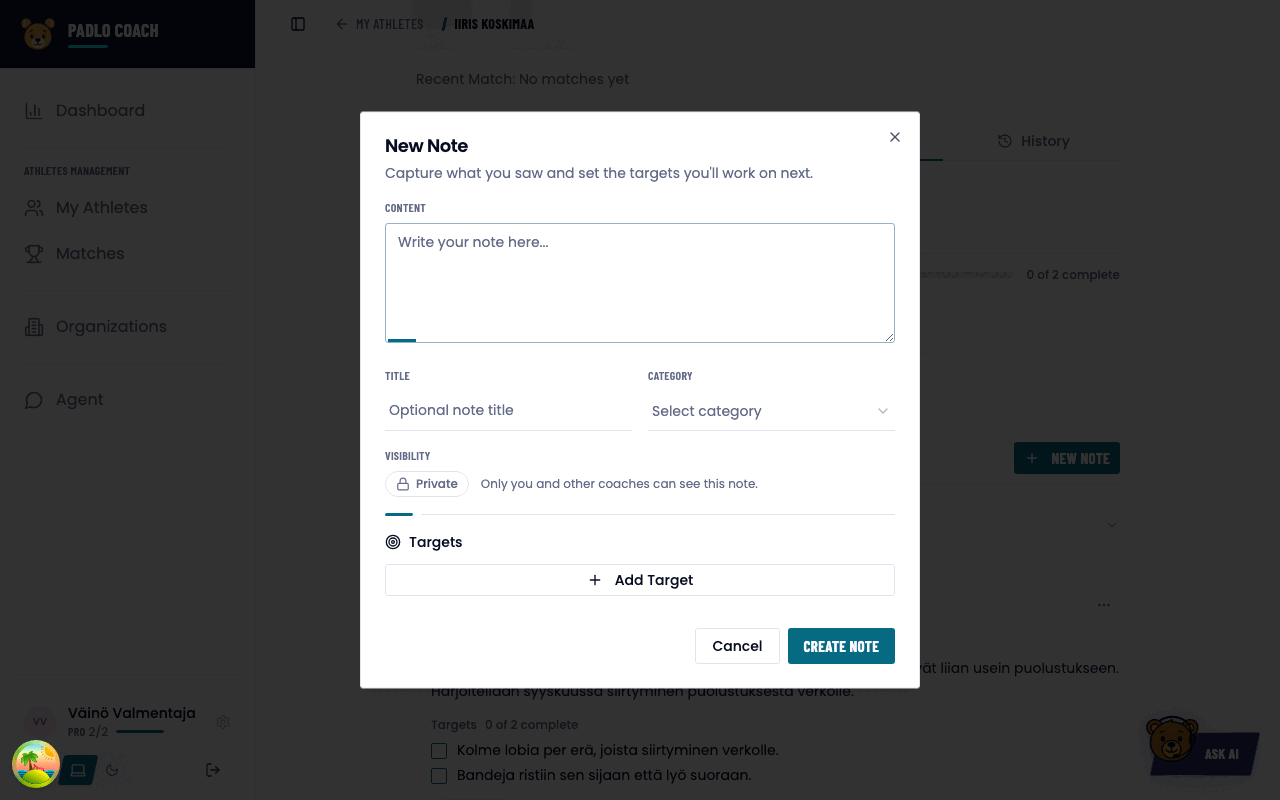
- Open an athlete and pick the Notes tab.
- Press New Note. For the first one the button reads Create First Note.
- Write the Content. It is the only required field, up to 10,000 characters. The title is optional.
- Pick a Category: Technique, Fitness, Mental, Tactical or General. Left empty, the note is labelled Note.
- Choose the Visibility: Private or Shared.
- Add targets with Add Target, up to 500 characters each.
- Press Create Note.
Private or shared
| Visibility | Who sees it |
|---|---|
| Private | Only you and other coaches |
| Shared | The athlete too |
Switch with the note’s own buttons Share with player and Make private.
Targets
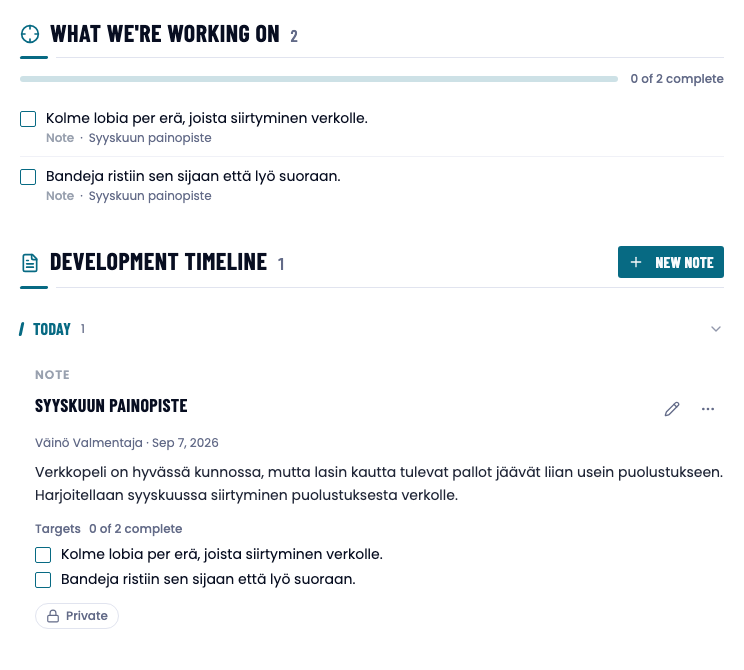
A target is one line about what to work on next. It has no title, category or deadline of its own: the category comes from the note, and the state is done or not done.
The What we’re working on summary at the top of the list shows every open target and the progress as 2 of 5 complete.
Timeline, archiving and deleting
Notes appear as a Development timeline, grouped by time.
- Archive moves a note into the Archived group. An archived note is dimmed and its targets are read-only. Unarchive brings it back.
- Delete removes the note permanently. The app asks for confirmation.
A note created from a match-analysis finding is marked From match analysis.
Trouble?
I don’t see the New Note button. You have no write access to this athlete. Add them to your coaching, or ask a club administrator.
A colleague’s note is missing. Private notes are visible only to coaches entitled to them.
The note also shows on another player record. Notes attach to the person, not to a single record.
The athlete can’t find their targets. Check that the note is Shared.