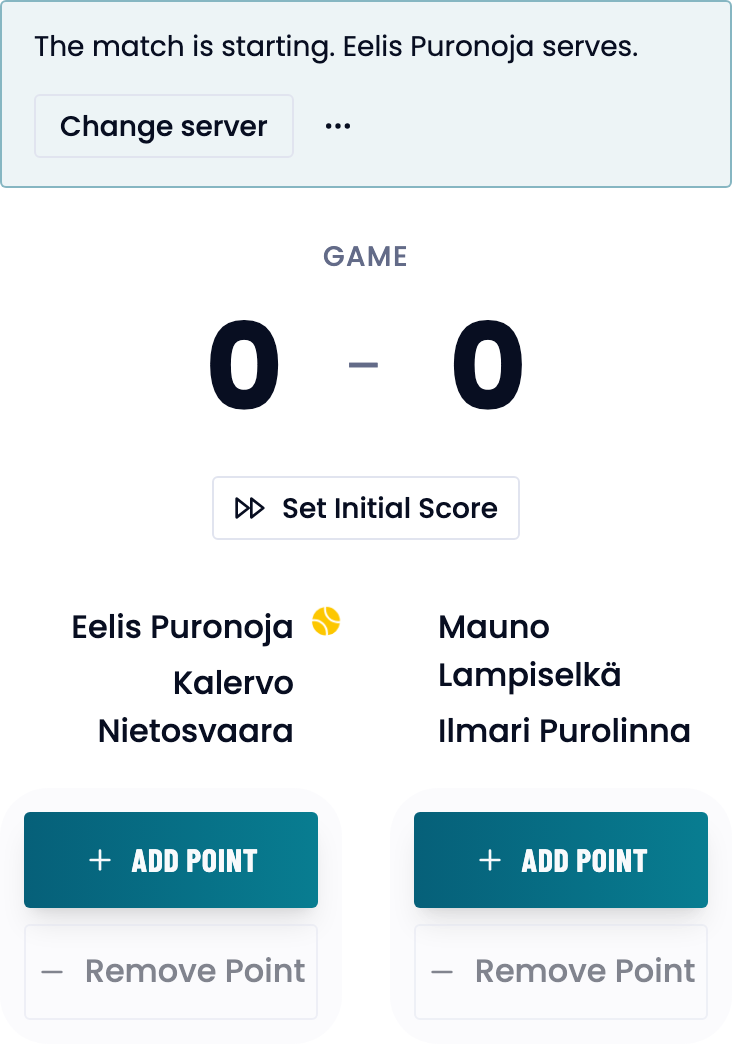
Every match is recorded in the same score view: two big Add point buttons and, under them, everything you need at the side of the court.
The short version
Open the match and press Add point for the pair that won the point. Tap what happened, or press Skip details — the point is recorded either way. Remove Point takes back the last one, and the match ends by itself when a pair has won enough sets.
Before you start
Who it is forPlayerCaptainCoachClub admin
- You need a match that already exists: see creating a match, practice matches or team matches.
- Who may record points depends on the kind of match:
- A team match’s pair: any member of either team, whatever their role, or the match’s assigned scorer.
- A team’s practice match: the creator, a player in it, the team’s captain or admin, or the assigned scorer.
- A match of your own: a player in it and their coach. When you create the match from your own athletes, the access is yours.
- A club’s match: its coaches and administrators as well.
- The assigned scorer is named by the creator or the team’s captain or admin, and has to be on one of the teams. In a practice match, being on the hosting team or playing in it is enough.
Record a point
- Open the match from the match list. The score view sits under the details.
- Press Add point for the pair that won the point.
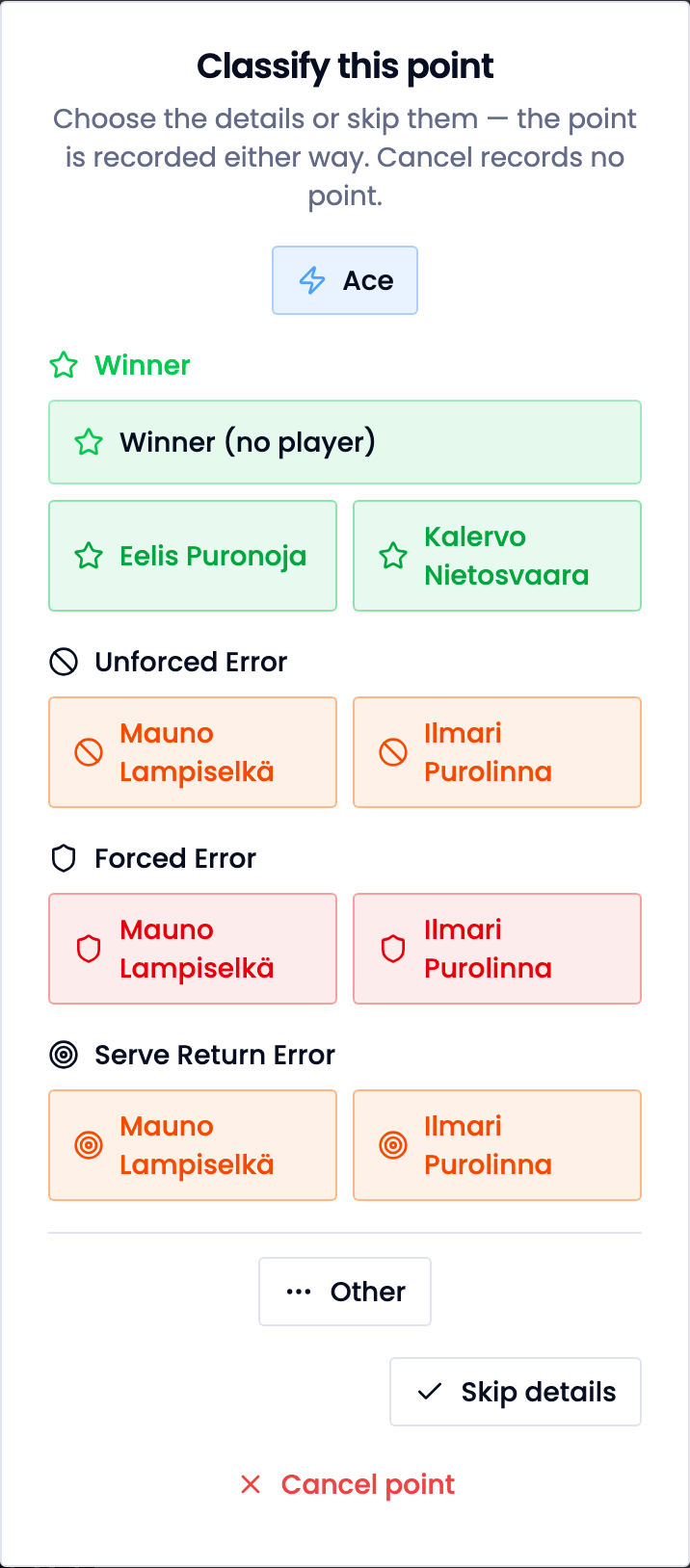
- Choose the point’s details or skip them. The point is recorded either way. Cancel point records nothing.
- The game, set and match score update by themselves.
What the app asks about a point depends on the scoring mode.
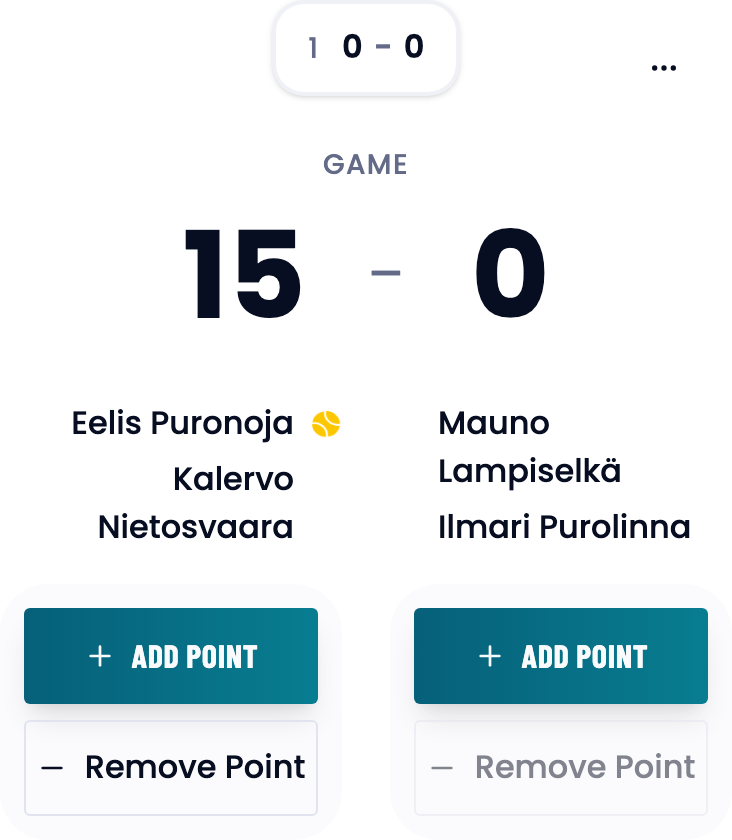
Remove a wrong point
Press Remove Point on the pair the last point went to. Removing undoes the most recent point, as often as needed.
Start part-way through a match
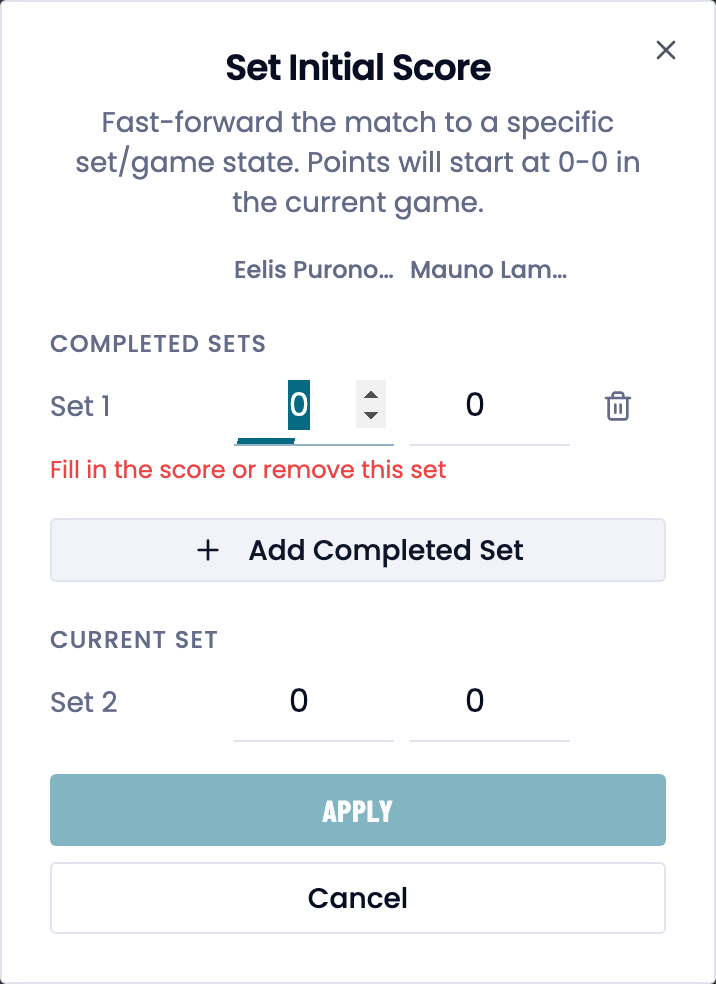
Setting an initial score
- Press Set Initial Score under the game score.
- Add the completed sets and the games in the current set.
- Press Apply. Points start at 0–0 in the current game.
- Clear Initial Score removes it again, as long as no point has been recorded yet.
The serving order and the next server
The top of the score view says who serves, for example The match is starting. Eelis Puronoja serves.
Changing the serving order
- Press Change server.
- Drag the players into order. Players must alternate between the two teams.
- Press Save.
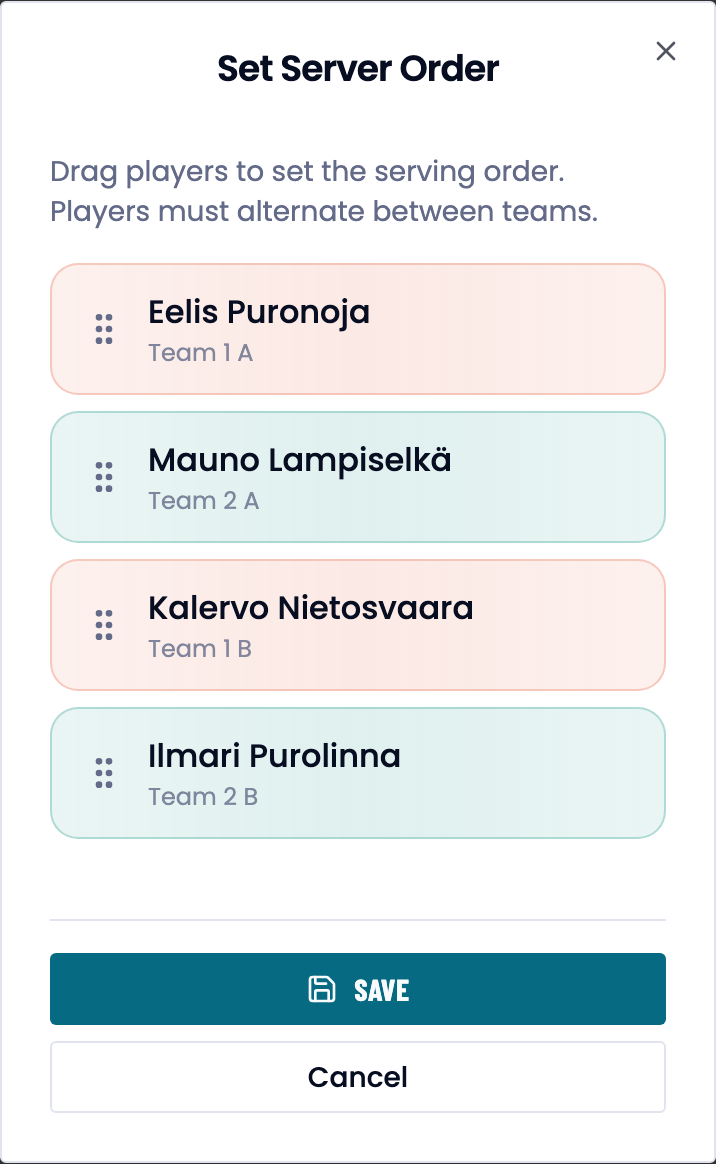
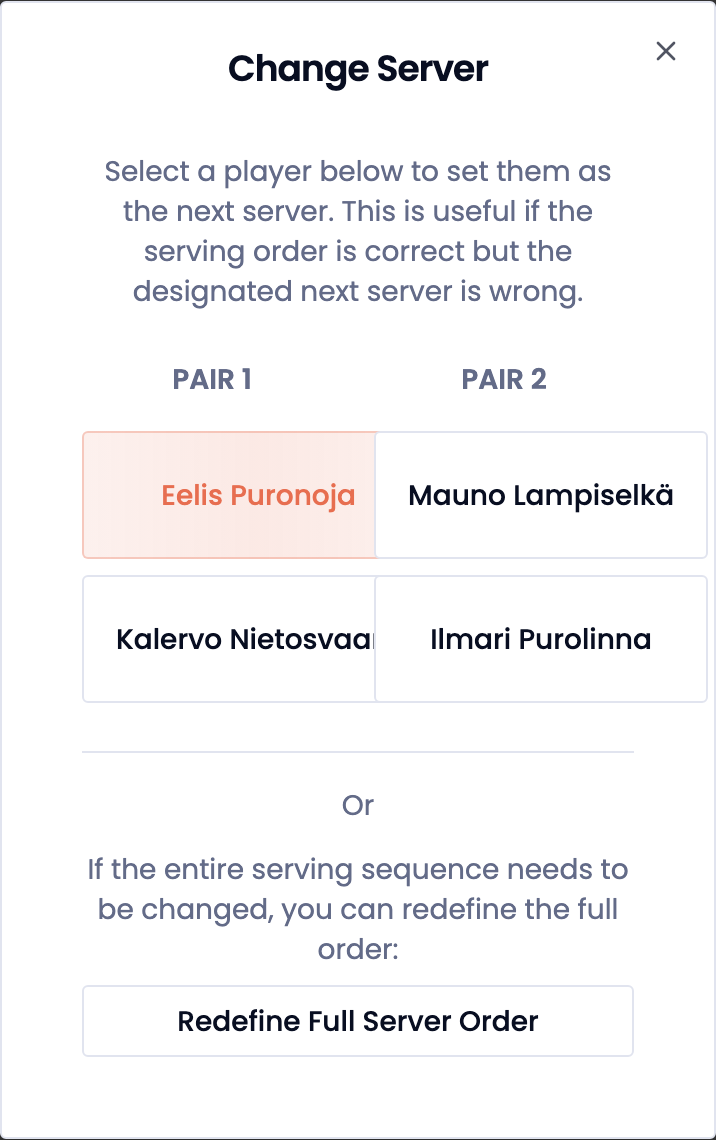
Once the match has points in it, Edit Server in the header changes only the next server.
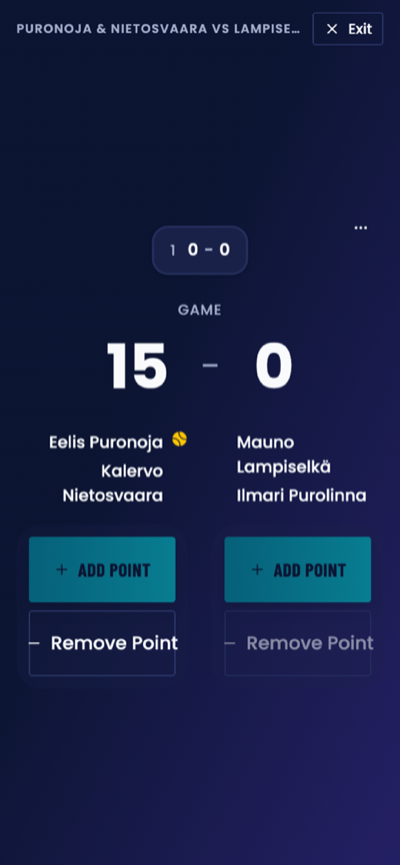
Courtside mode
- Press Courtside on the match’s header row. The buttons grow and the background goes dark.
- Record points as usual.
- Leave with Exit or the Esc key.
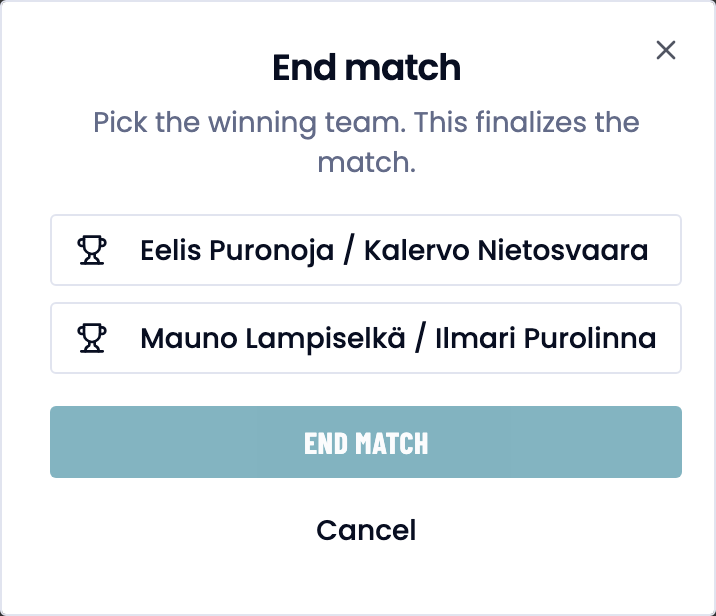
End a match
A match ends by itself when a pair reaches the sets needed to win. An interrupted match can be ended by hand.
- Press End match on the match’s header row.
- Pick the winning pair, or Draw if the format allows one.
- Confirm with End match.
Good to know
Trouble?
The point was not saved. If the connection drops, the app says so and saves nothing. Try again once you are online.
I pressed Add point by accident. Close the dialog with Cancel point. If the point was already saved, use Remove Point.
Set Initial Score is not there. It disappears after the first point. Remove the points, or create the match again.
The server is wrong. Change the next server with Edit Server in the header, or redefine the whole order.
I cannot see the Add point buttons. You do not have scoring access to this match. In a team match a club or federation admin does not record points, even though they see the match: ask a member of the team to record, or to be made the assigned scorer. In a match of your own, add its players to your coaching or ask their coach to record.