Settings is one page: how the scoring wizard behaves, your own details, the language and the password. Every choice affects only you.
The short version
Nothing on this page has to be touched: the defaults score matches fine. Come here when you want to change your name, your language or your password.
Before you start
Who it is forPlayerCaptainCoachClub admin
All you need is to be signed in. Settings opens from the gear icon beside your name at the bottom of the left menu.
The sections
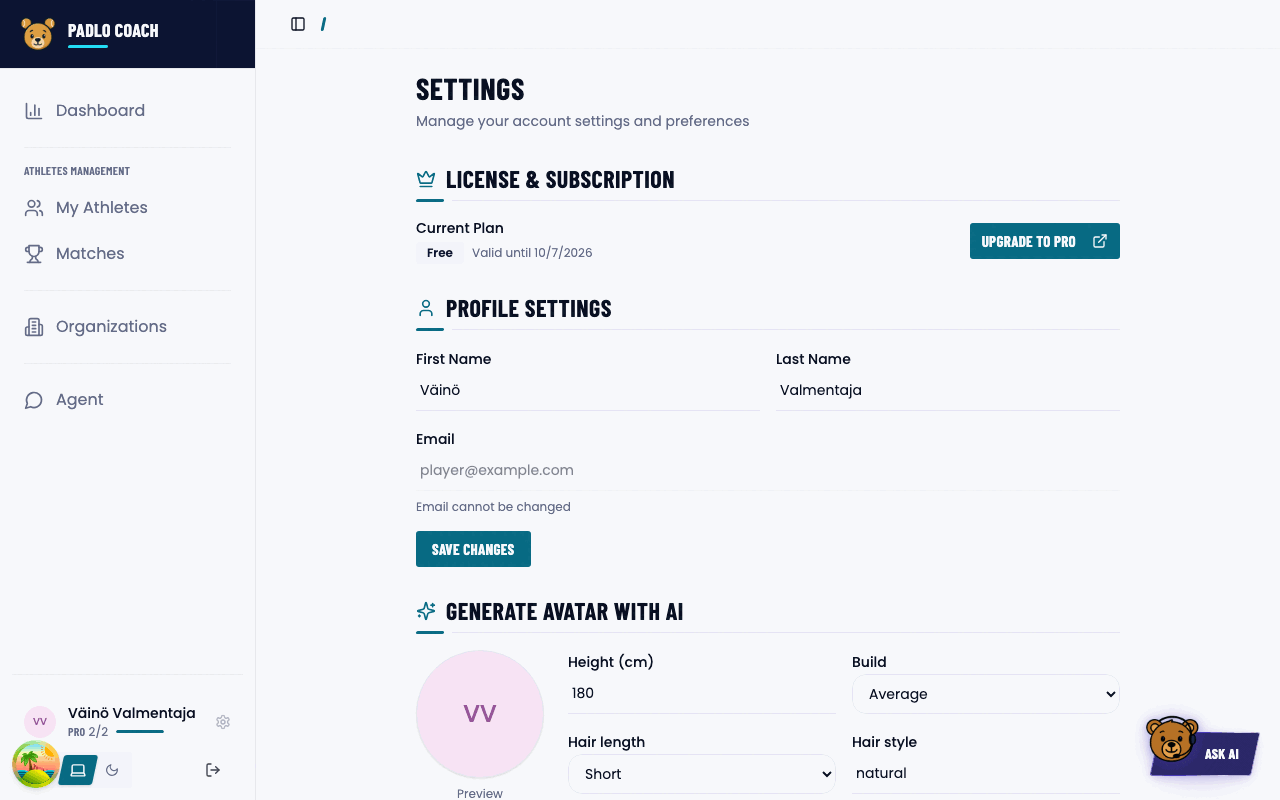
Top to bottom: License & Subscription, Profile Settings, Generate avatar with AI (needs the Padlo Assistant), Email Addresses, Language, Scoring preferences and Security.
License & Subscription
Shows the current plan (Free or Pro) and a validity date. The button is Upgrade to Pro, or Manage Billing for your own subscription.
Profile Settings and avatar
First and last name are editable, email is not. Save with Save Changes.
The Generate avatar with AI section is a form, not an upload: write a description of your appearance and press Generate avatar. It takes about 30–60 seconds.
Email Addresses
Addresses are badged Primary, Verified or Pending verification. Add email address adds a second one and Padlo sends it a verification link.
Language
The options are Suomi and English. The choice saves instantly, and the same language is used for the invitations you send.
Scoring preferences
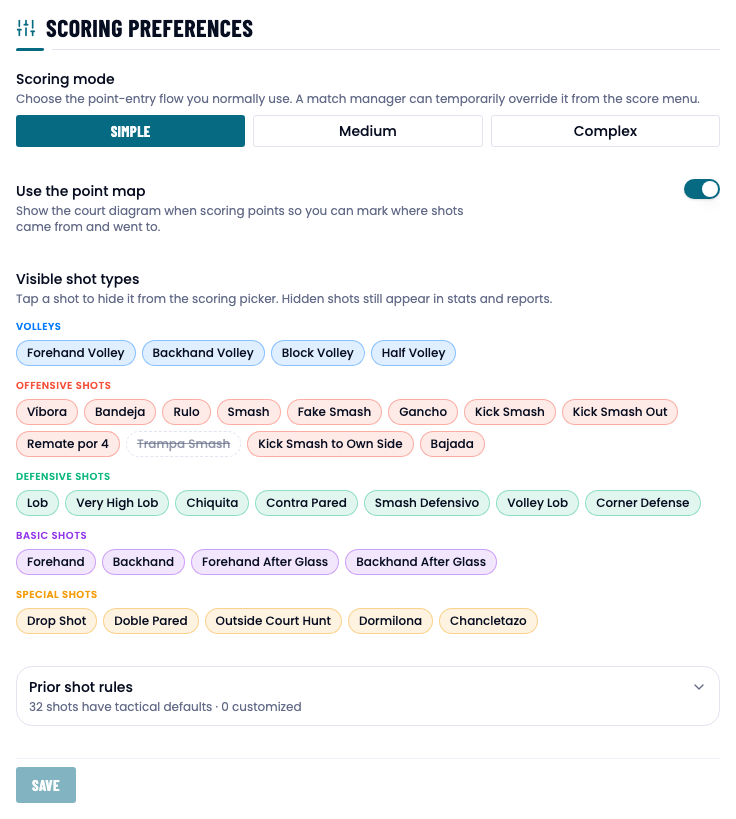
Four controls. None of them save until you press Save.
Scoring mode
Simple, Medium or Complex. This is your own default, which a match manager can temporarily override.
Use the point map
On by default. Padlo then shows the court diagram when scoring points, so you can mark where shots came from and went to.
Visible shot types
All the options
A grid of shots grouped under Volleys, Offensive Shots, Defensive Shots, Basic Shots and Special Shots. Tap a shot to hide it from the scoring picker.
Prior shot rules
All the options
The wizard narrows the prior-shot picker to what makes tactical sense. The section is collapsed by default. In it you can override those defaults one shot and point type at a time.
Security
Fill in your current and new password and press Change Password. The new password must be at least six characters.
Trouble?
The Save button is greyed out. It becomes active once something has changed.
I changed my default but the match is still simple. The ceiling was locked at creation. The default only affects new matches.
I can’t find notification settings. There is no notifications section.
I can’t find how to change my email. The primary address cannot be changed. You can add another one.