Padlo pulls technique observations and suggestions out of a short clip and compares it against earlier clips on the same target.
The short version
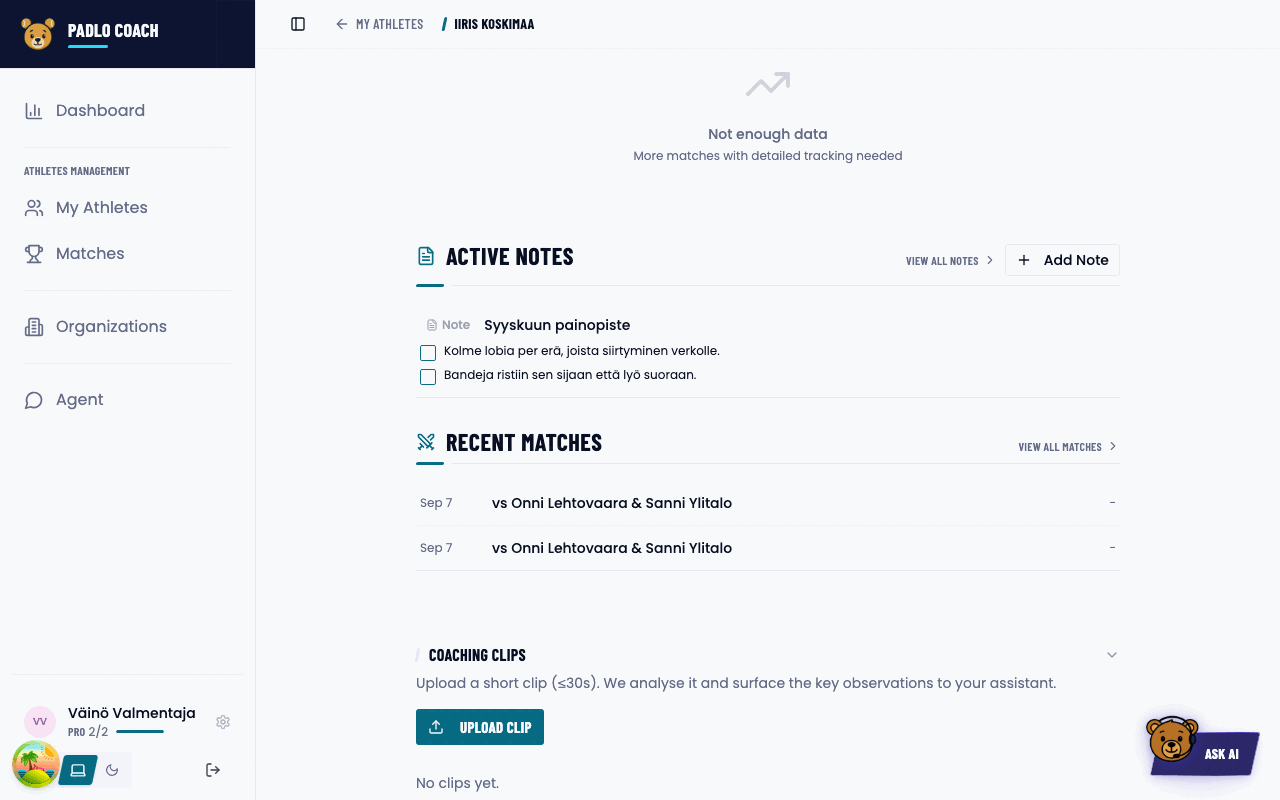
Open the athlete, press Upload clip and pick a file of up to 30 seconds. Padlo writes its observations by itself; you do not have to fill anything in.
Before you start
Who it is forCoach
You need an athlete you coach. A clip is filed against a person, not a match.
Upload a clip
- Open the athlete’s profile and scroll down. Tap the collapsed group Coaching clips.
- Press Upload clip and pick a file.
- The upload shows its progress. When it finishes, Padlo says Uploaded. Analysis is running.
Limits
The exact limits
| Limit | Value |
|---|---|
| Length | 30 seconds or shorter |
| Size | 200 MB or smaller |
| Formats | MP4, MOV (QuickTime), WebM, M4V, MKV |
There is no monthly quota.
Analysis states
A clip’s state shows as a badge beside it.
Every analysis state
| Badge | What is happening |
|---|---|
| Queued | The clip is stored; analysis has not started |
| Analysing | Analysis is running |
| Analysed | Done, press Open analysis |
| Failed | The analysis did not succeed |
The list refreshes on its own while any clip is queued. The badge Uploaded or From chat tells you where the clip came from.
What the analysis gives you
Press Open analysis. The panel holds a summary of the clip, Technique observations and Suggestions.
Following progression
Link a clip to a note’s target. Upload a second clip on the same target and Padlo compares them in the Progression group. The verdict is Improved, Mixed, Regressed, Unchanged, Inconclusive or Not comparable. Beside it sits a confidence of high, medium or low.
Delete clip permanently removes a clip and its analysis.
Trouble?
“That file is too large (max 200 MB).” Compress the clip or cut a shorter section.
“Clips must be 30 seconds or shorter.” Trim to the essential 15–30 seconds.
“Couldn’t read that video. Try a different format.” Save the file as MP4 and try again.
I don’t see the Coaching clips section. It only appears when the Padlo assistant is enabled on your account.
The clip list is empty although clips exist. You have no access to this athlete’s personal data.