Seven steps take a new coach from an empty sign-up form to a finished match. Nothing has to be set up first, and a free account is enough.
-
Create your account. Type your first name and email and press Continue. On the next screen choose a password, agree to the terms and press Create account. Padlo signs you in and opens the dashboard.
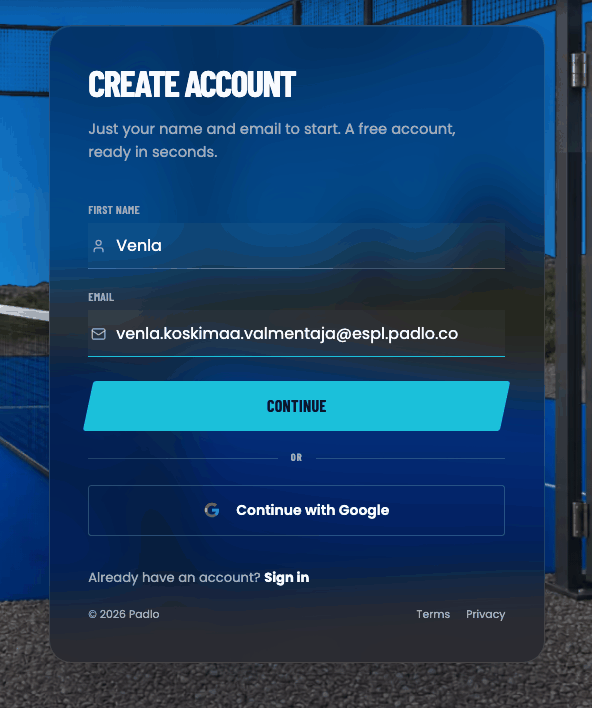
Sign-up asks for two things. The password comes on the next screen. -
Verify your email address. Padlo sends you a message titled “Verify your email address”. Press Verify Email in it. You can carry on without this, but the next time you sign in Padlo will not let you past without it.
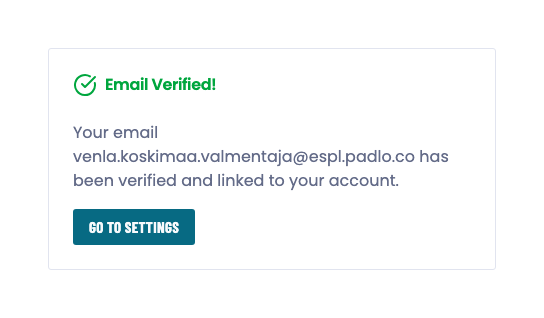
Following the link once is enough, and it opens this page. -
Press Record a match of your own. It sits on the dashboard under the two buttons, and again on the Matches page.
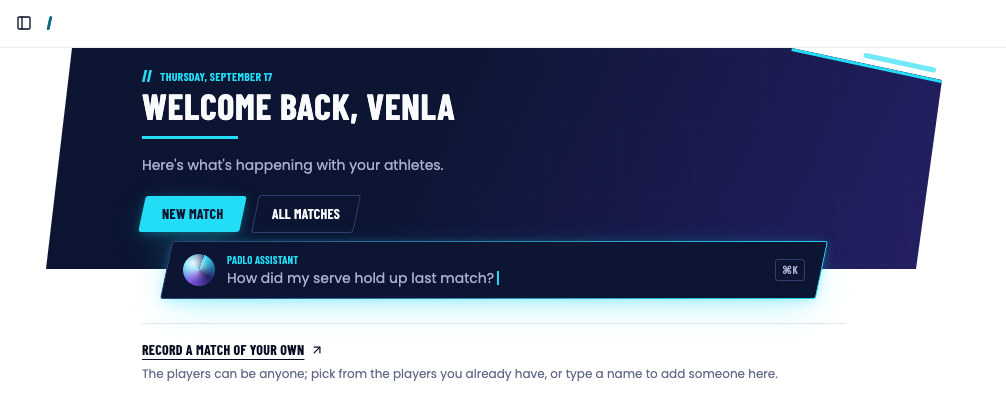
A new account has exactly one way into a match. -
Add the four players. Press the first field under Pair 1, type a name and press Create New Player. Turn on Player has given permission to save their games, then press Save Changes. Repeat for the other three.
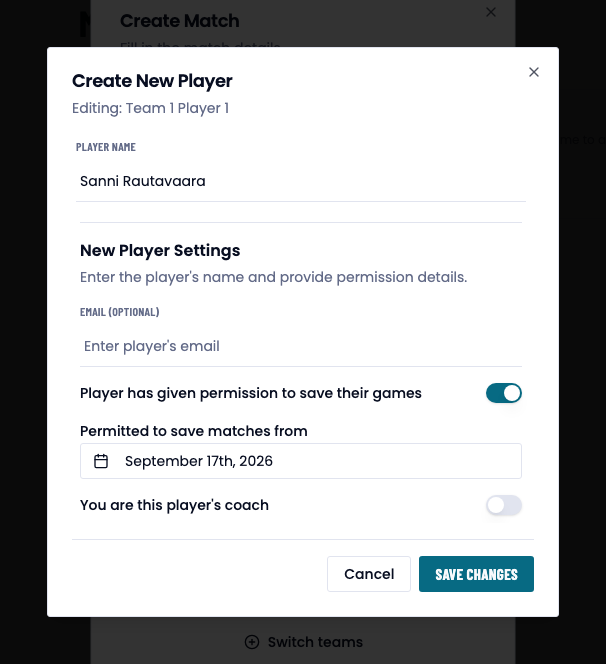
The permission switch is required. The date below it is already today, and the coach switch can stay off. -
Name the match and create it. Type a Title, press Next, and press Create on the page that follows. Padlo uses standard rules — two sets, six games to a set, golden point and a super tiebreak — and you can change them later under Match format.
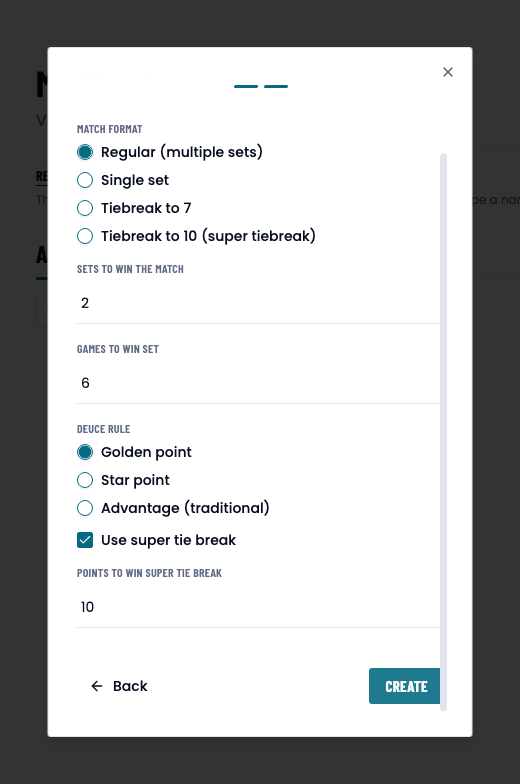
Nothing on this page needs changing for a first match. -
Record the first point. Press Add point under the pair that won it. Classify this point opens: tap the player who hit the winner and then No assist, or press Skip details to record the point with nothing attached to it.
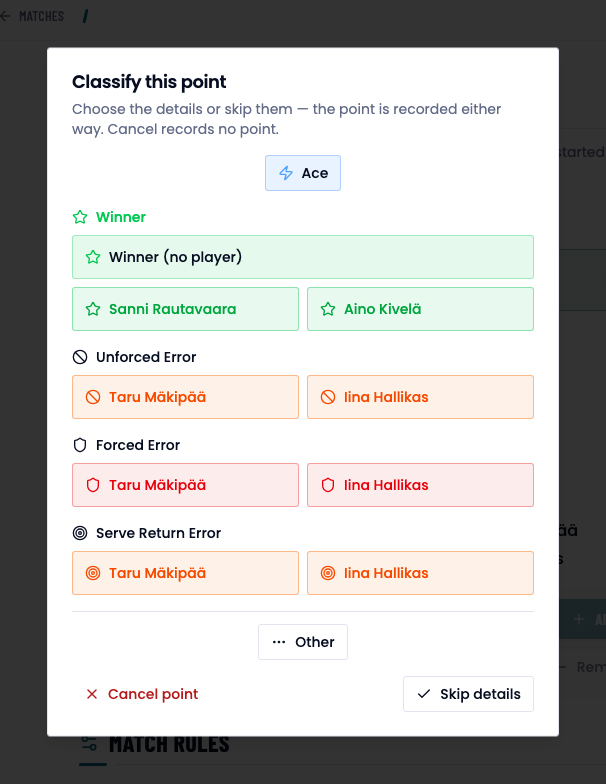
One tap names the point. Skip details records it bare. -
Finish the match. Press End match, pick the winning pair and confirm.
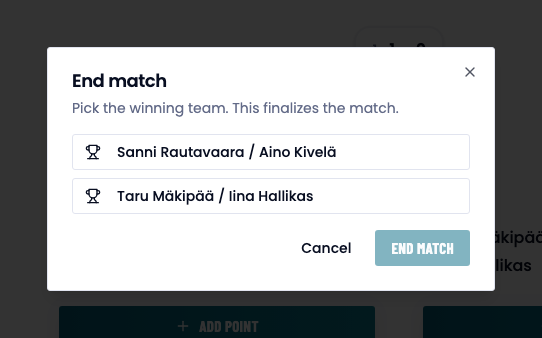
Padlo asks who won, then closes the match.
What next
- Creating a match — every field in the wizard, and what the month’s detailed-match count means.
- Recording points — the scoreboard, serve order and courtside mode.
- Athletes — the list the four names you typed now live in.
Trouble?
I cannot sign in the next day. Find the message “Verify your email address” and press Verify Email. Until you do, the login page answers “Invalid email address or password. Please try again.” even when the password is right.
Save Changes does nothing. The permission switch is required. Without it the dialog answers “Permission to save the player’s games is required”.
I tapped the wrong pair. Remove Point under that pair takes the last point back. It is only active on the side that scored it.