Padlo has three ways to record a match. They differ in who the players can be and where the result counts.
The short version
Record a practice match when your team plays among itself or against another team outside the series. It does not count towards the table and it costs you nothing. An official match is always a team match.
Before you start
Who it is forPlayerCaptainClub admin
- A practice match and a team match belong to a team, so you must be in a team and have it selected.
- A match of your own needs no team.
Three ways, one choice
All three sit one under the other on the Matches page and on home. The app explains each in one line.
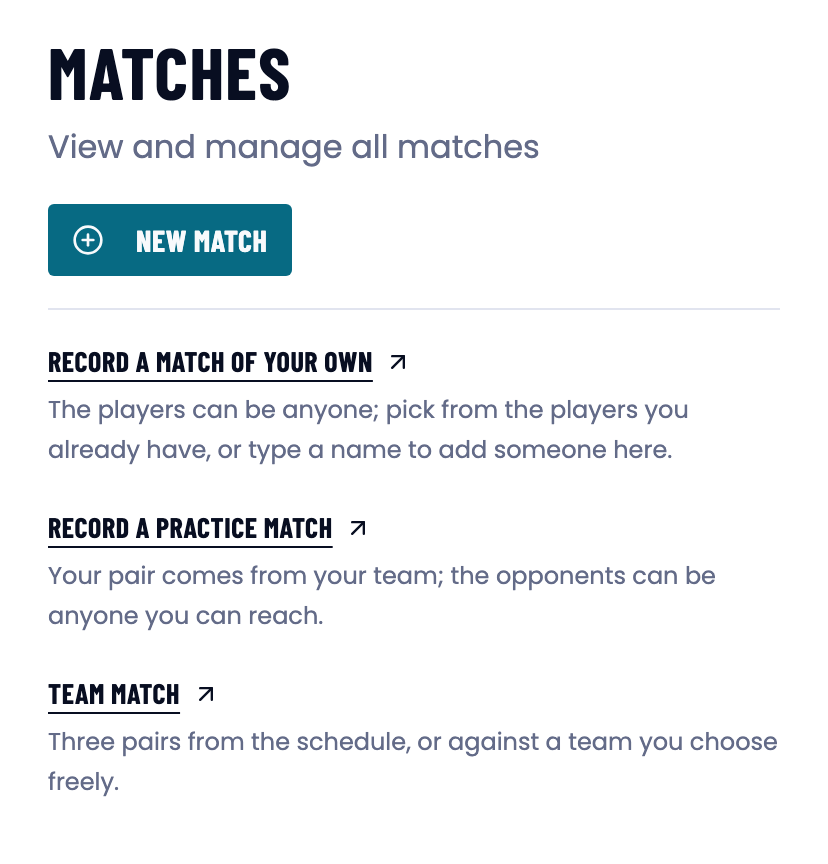
The three ways side by side
| Way | Players | Fixture list | Who sees it |
|---|---|---|---|
| Record a match of your own | anyone, including new names | no | you |
| Record a practice match | your own pair from your team, opponents free | no | your team |
| Team match | three pairs from each team | yes | both teams |
Only a team match is an official league match.
Record a practice match
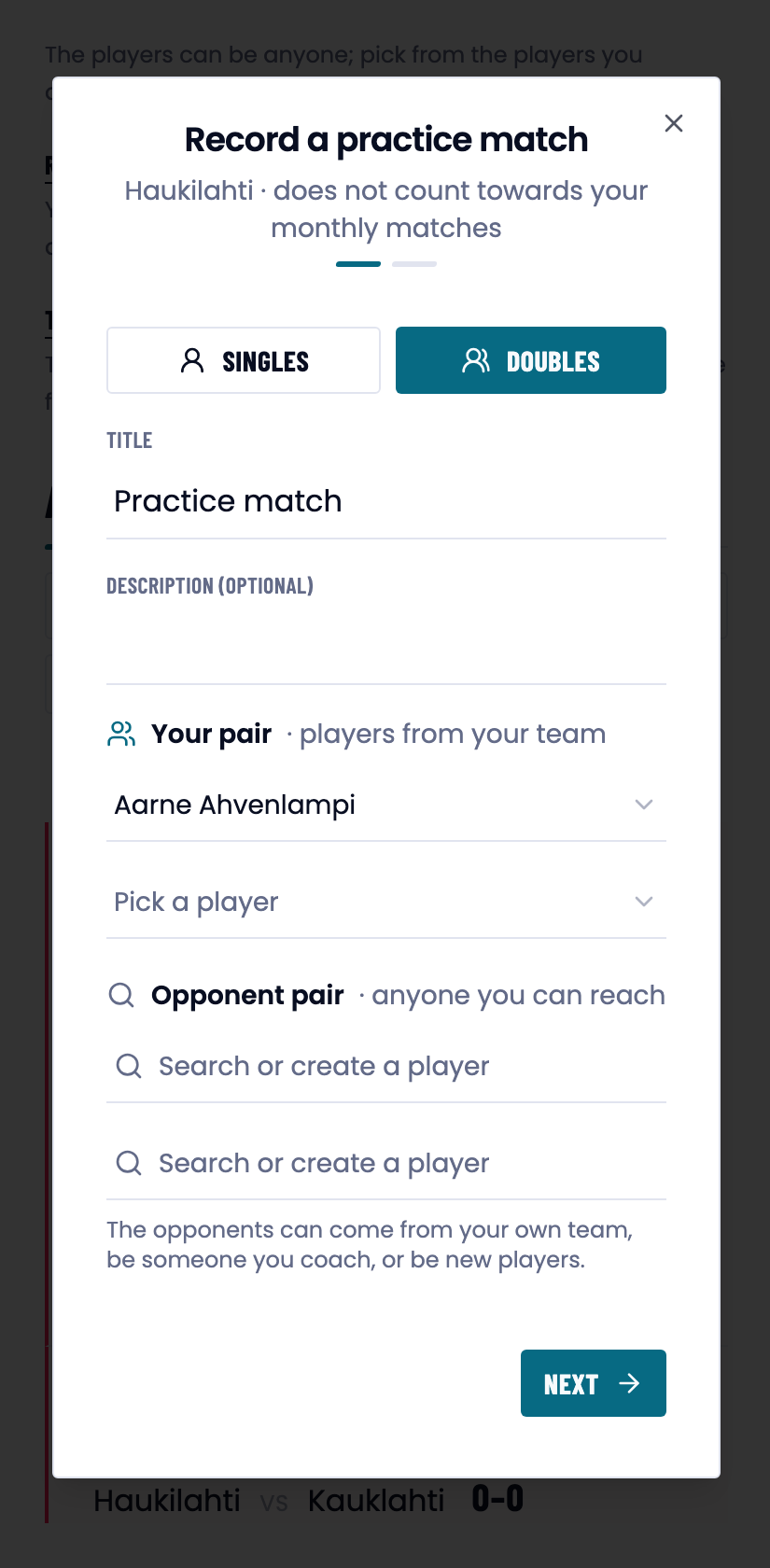
A practice match is the team’s training game: your own pair comes from your team’s players, and anyone you can see can be the opponent.
- Open the Matches page or home. Press Record a practice match.
- Give the match a name. The field is pre-filled with Practice match.
- Pick Your pair from your team’s players.
- Find or create the opposing pair in Search or create a player.
- Press Next, check the rules and press Create.
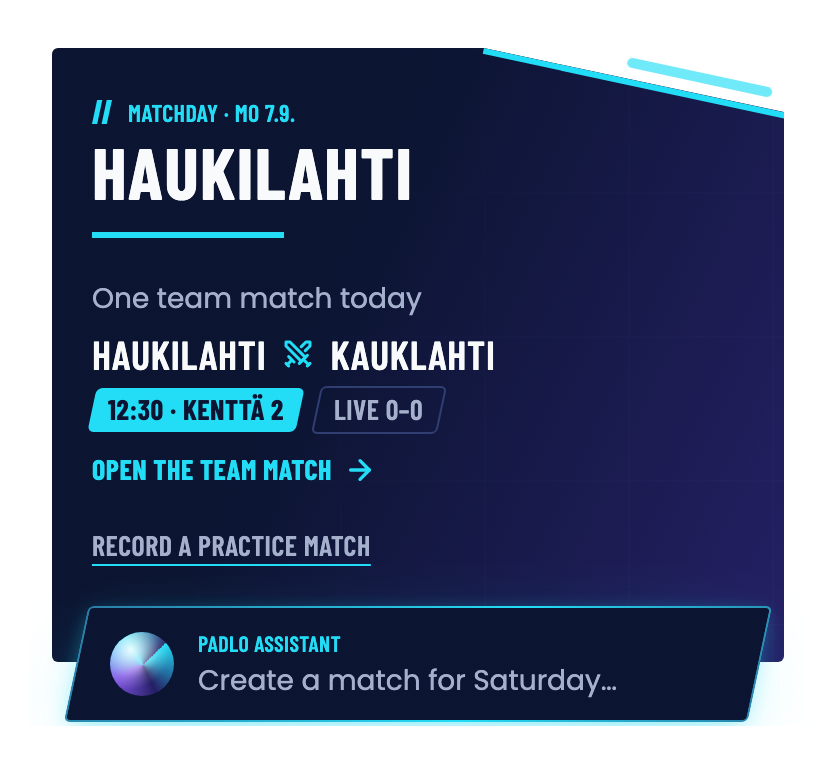
The same Record a practice match is on the top card on home:
Record a match of your own
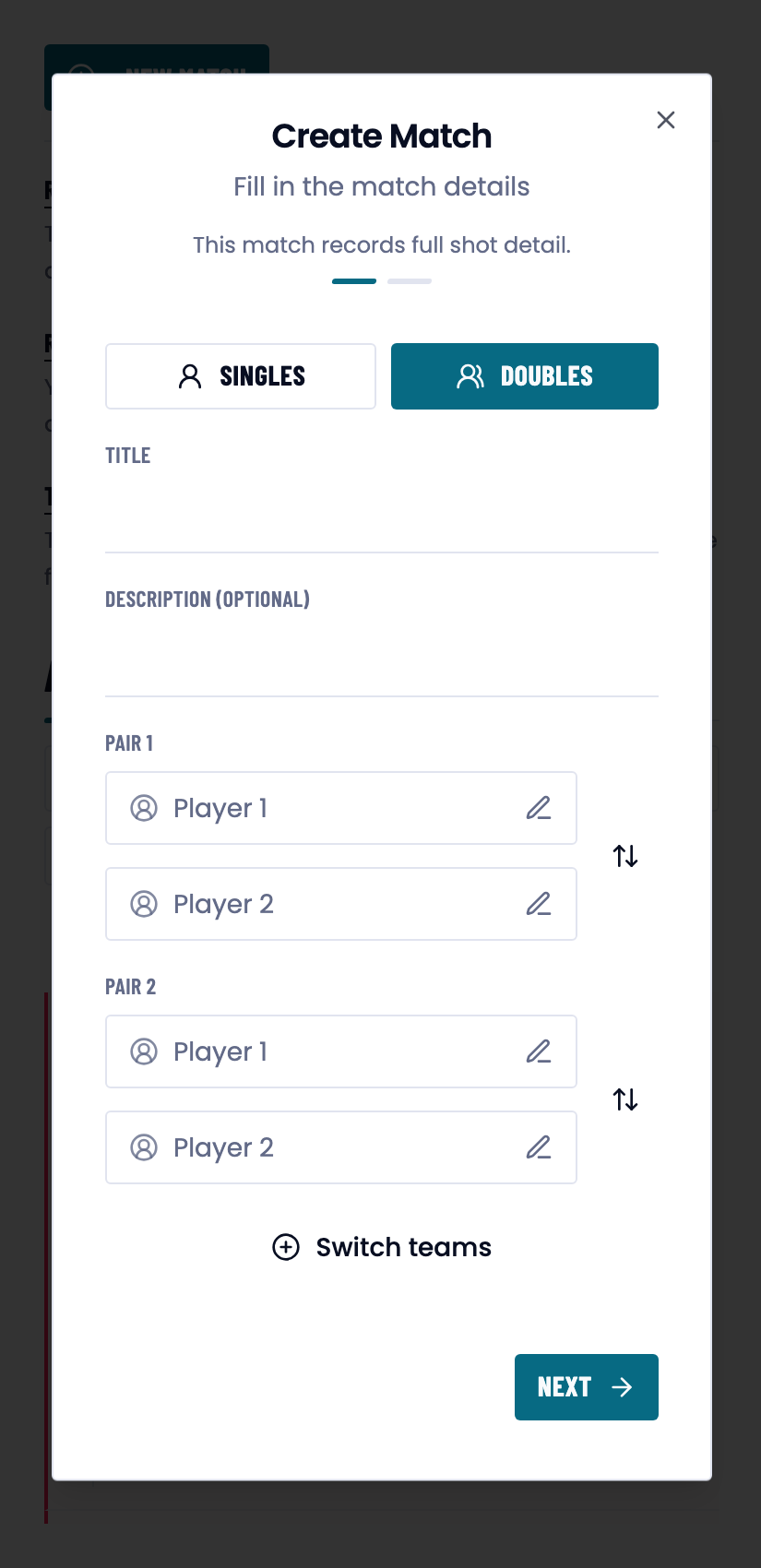
A match of your own is the freest form: the players can be anyone, and the match belongs to no team.
- Open Matches and press Record a match of your own.
- Give the match a name.
- Type the players’ names into Pair 1 and Pair 2. Switch teams turns them around.
- Press Next, check the rules and press Create.
What a practice match looks like afterwards
The name is pre-filled as Practice match, and it appears that way in the match list and on the match page. Edit changes the name. There is no separate practice-match badge: the name is how you recognise it.
Good to know
Trouble?
“A practice match belongs to a team, and no team is selected right now. Open a team to record one for it.”
Do that: open your team’s page, or switch teams from the selector on home.
The opponent is not in the search field.
Type the name and create the player from it. An opponent can be from your own team, one of your athletes or an entirely new player.
I recorded a practice match but it is not in the league results.
That is by design: only team matches from the fixture list count towards the league.