Your club already made your account: set a password, open your team’s match and record the first point.
-
Open the email Tervetuloa Padloon! and press Aseta salasana. The message is in Finnish for everyone and ends with an English summary.
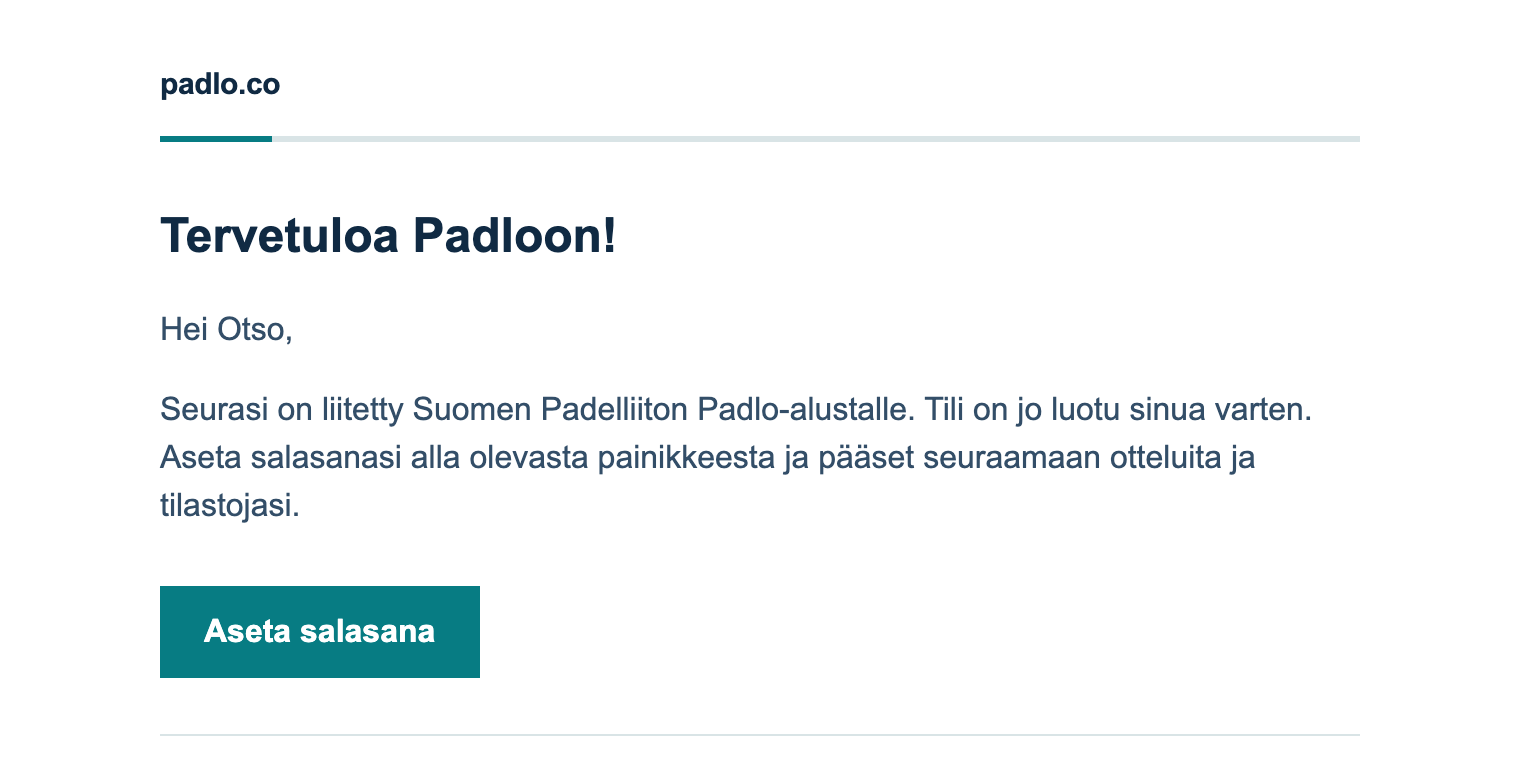
Step 1. The email is your way in. Aseta salasana means set password. -
Type the same password into New password and Confirm new password, at least six characters, and press Reset password.
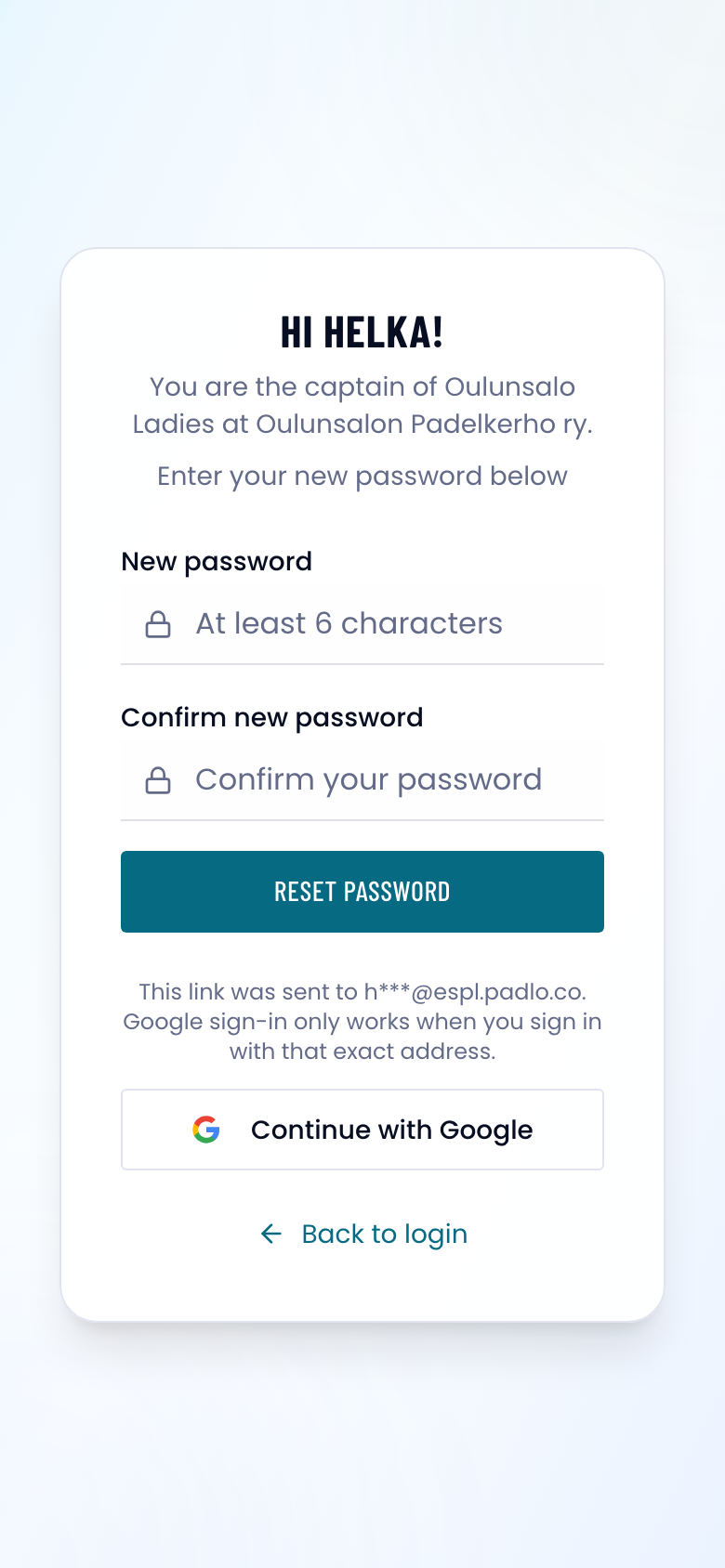
Step 2. The greeting names your team and club, so you can see the link is yours. -
You are signed in and setup starts. Press Continue, tick the box about the Terms of Service and Privacy Policy, and press Accept and continue.
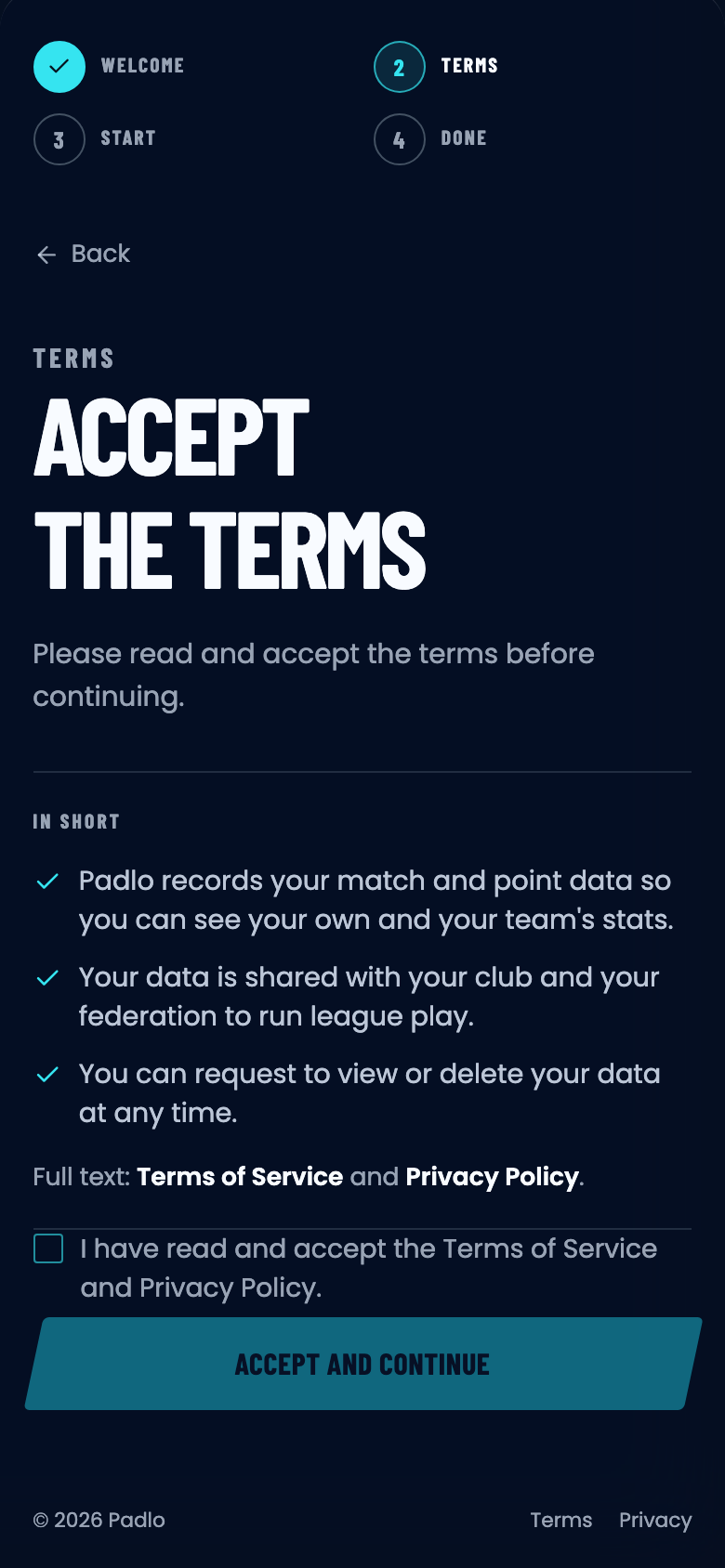
Step 3. The button wakes up once the box is ticked. -
Record my next match is already chosen for you. Press Continue with this starting point, then Open my next match on the last screen.
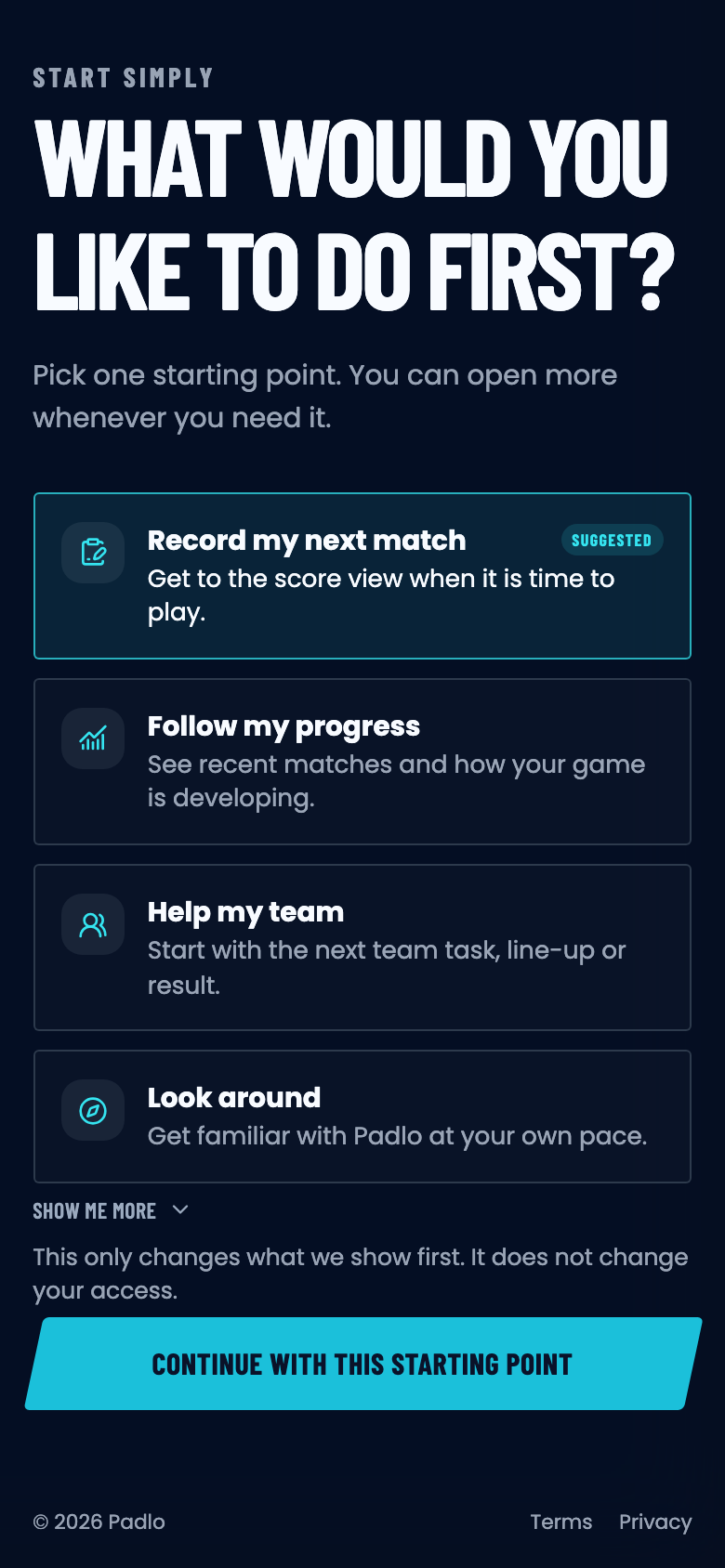
Step 4. The choice only decides what opens first, never your access. -
You land on your league home. The matchday card is your team’s match today, so press Open the team match.
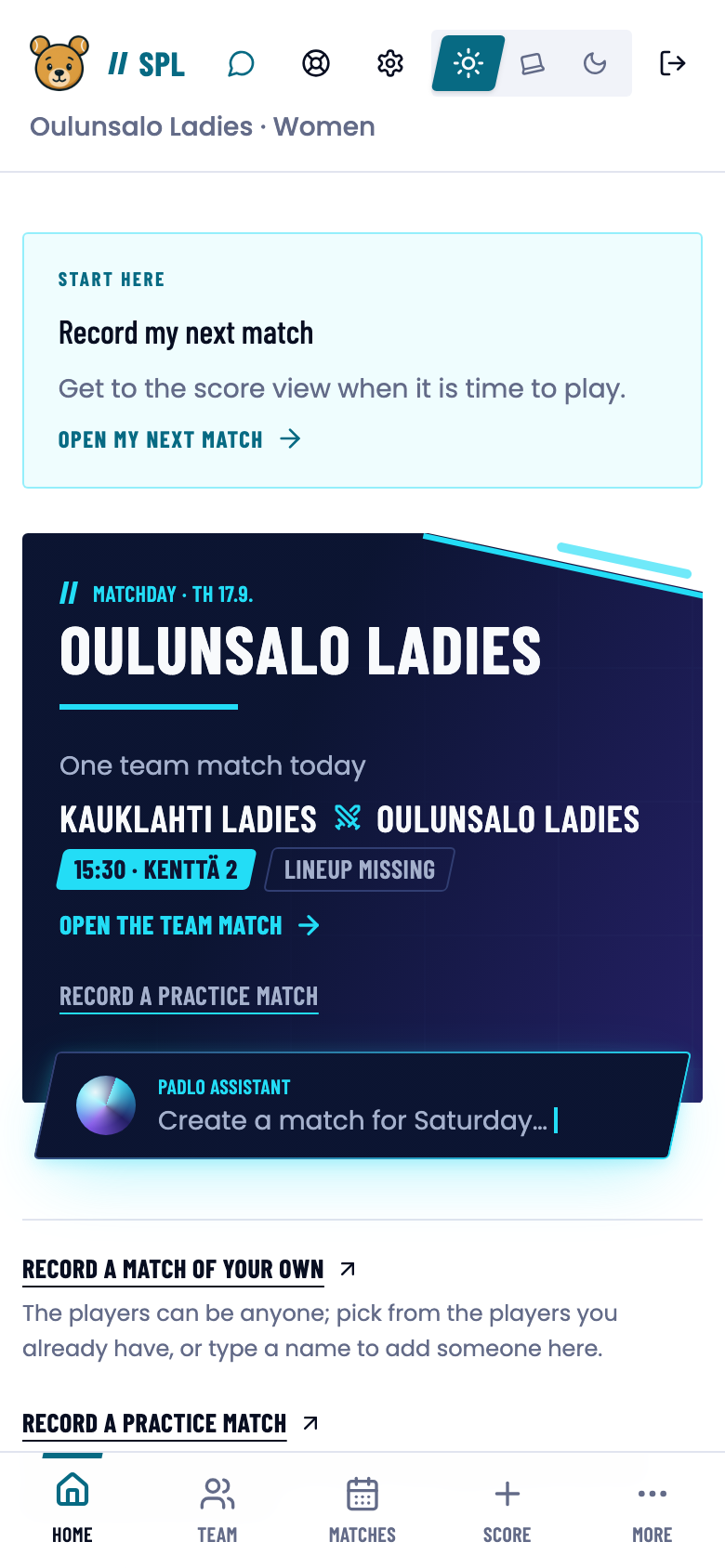
Step 5. Your next match sits at the top of home from now on. -
Scroll to LINEUPS and press Edit. Pick your own players, type the opponent’s names, and press Save. A pair nobody knows yet takes Mark as not known.
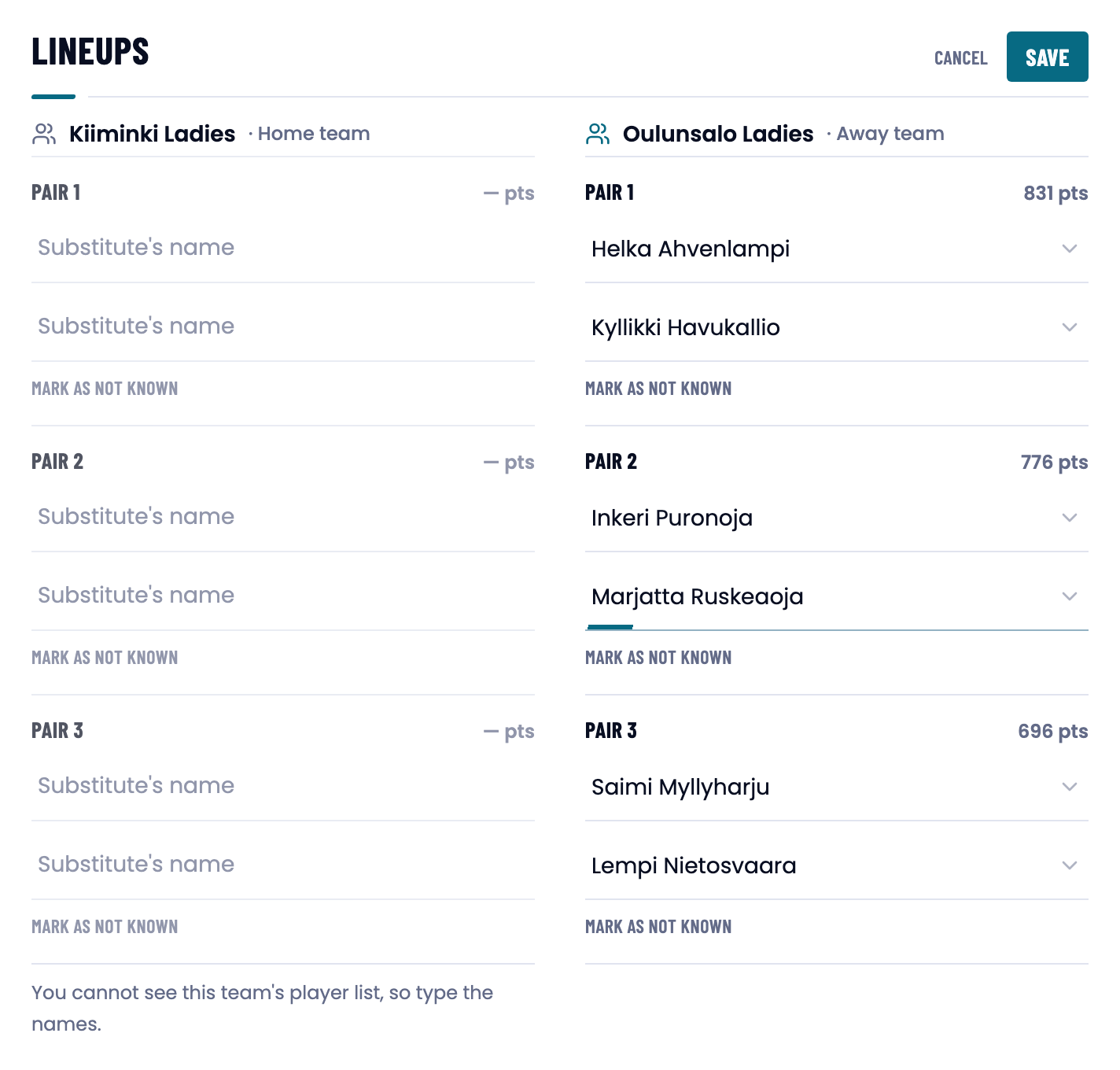
Step 6. You cannot see the other team’s player list, so their names are typed. -
Back on the team match, press Start scoring on a pair’s row and record the rally with Add point. Classify this point offers Skip details when you are in a hurry.
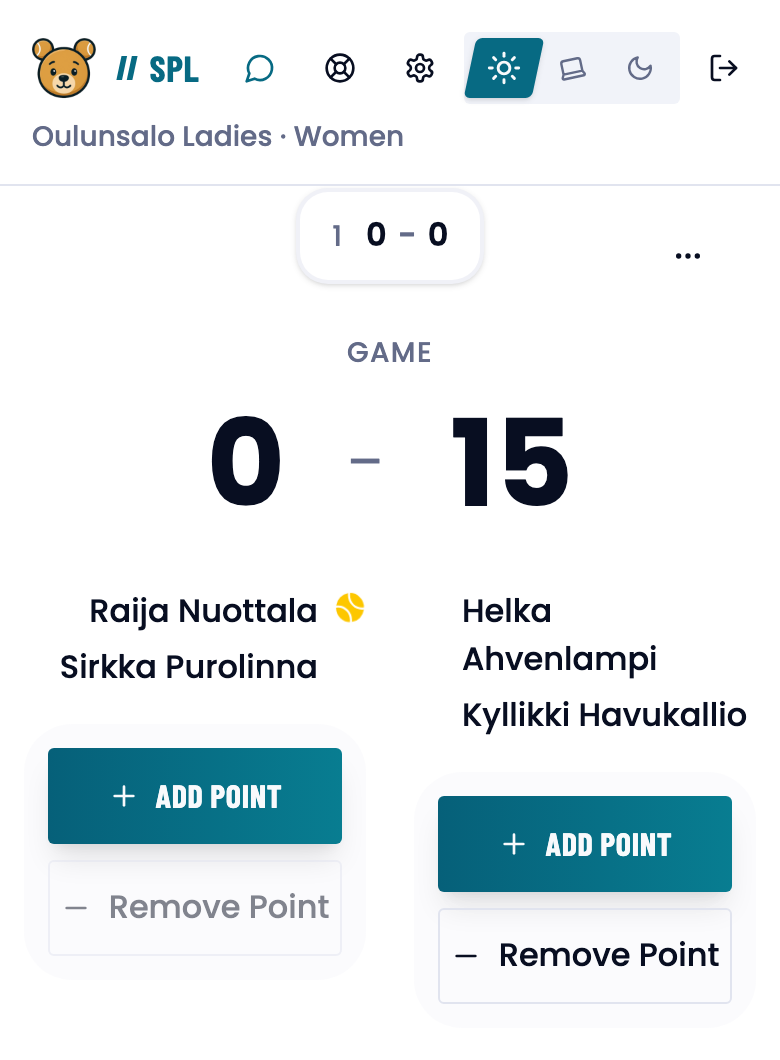
Step 7. Remove point takes back a point you added by mistake.
A team match always records the fullest detail, it never uses up anyone’s monthly match count, and the rules come from the league, so there is nothing to set.
What next
- Recording a team match — pair numbers, the lock at the first ball, and finishing the tie.
- Recording points — what the point classifier stores and how to correct a mistake.
- Home and team page — what else your home page offers.
Trouble?
The link says “Invalid reset link”.
It has been used already or it is over six hours old. Press Request new reset link and enter the same address. See Activating your account.
“Both teams must name all three pairs before the tie starts.”
A seat is still empty. Fill it, or press Mark as not known on that pair.
I recorded a point for the wrong side.
Press Remove point on the score view. It takes back the last point.